Hey there, fellow equipment operators, maintenance techs, and small business owners—let’s cut to the chase: a noisy fan motor doesn’t just sound like a nail scraping a chalkboard. It’s a warning bell. If you ignore that squeal, grind, or rattle for too long, you’re looking at a full motor replacement, unplanned downtime, and even higher energy bills when that struggling motor starts dragging. As someone who’s spent 12 years as a technical advisor for a fan motor supply company, I’ve fielded hundreds of calls like this: “My warehouse fan is screaming at 2 a.m. and I can’t figure out why.” Most of the time, it’s not a broken motor— it’s a fix you can do in 30 minutes, if you know what to listen for. Today, I’m walking you through the step-by-step fix for every common noisy fan motor issue, with real examples from the service calls I’ve actually answered, and no fancy jargon to bog you down. Fan Motors

First, let’s rule out the easy stuff first—because 40% of the noisy motor calls I take turn out to be something super simple that the client missed. Last spring, a food processing plant manager called me panicking, because his 10-ton supply fan was so loud during overnight shifts, the night shift crew had to wear earplugs. When I showed up, I didn’t even grab a screwdriver—I just told him to turn off the fan, reach up, and check the blade guards. Turns out, a loose metal bracket holding a discarded piece of cardboard (leftover from a delivery pallet) was vibrating against the fan blade every time it spun. He pulled the cardboard out, tightened the bracket with a wrench, and the noise was gone. That’s the kind of fix we’re starting with. So before you dive into motor disassembly, do these three quick checks:
-
Clear debris from moving parts. Fan motors spin metal blades, and if dust, dirt, leaves, packaging scraps, or even small rodents (yes, I’ve seen mice nests in small HVAC fan motors) get stuck between the blades, the fan housing, or the shaft, it creates a consistent grinding or scraping noise. For belt-driven motors, debris can also collect on the drive belt or the pulleys, leading to squealing. Always power off the motor and unplug it (or flip the circuit breaker—don’t skip this, I’ve had too many near-misses) before sticking your hand or a soft brush inside the guard. Never use a hard tool here—you can scratch the blades, throw them out of balance, and make the noise worse.
-
Tighten loose mounting and blade components. Over time, constant vibration works loose the bolts holding the motor to its mount, the fan blades to the motor shaft, or the blade guard to the housing. I once helped a mechanic at a car dealership fix a noisy condenser fan that was rattling so loud, customers complained. He tightened the four mounting bolts on the motor, and the rattle vanished. For blade components, a loose blade can wobble on the shaft, creating a thumping noise every time it spins. Use a wrench or Allen key (most fan motors use standard metric hardware now) to check all fasteners—just don’t over-tighten, that can strip threads or warp blades.
-
Check belt tension (for belt-driven motors). If your fan uses a belt to connect the motor shaft to the fan pulley, a loose, too-tight, or worn belt is the #1 cause of high-pitched squealing. A good rule of thumb: when you press down on the middle of the belt, it should give no more than half an inch. If it’s looser than that, adjust the motor mount bolts to pull the motor away from the fan pulley, then re-tighten. If the belt is cracked, glossy, or frayed on the edges, replace it—they’re cheap, and a bad belt will damage the motor’s shaft bearing if left too long.
Once you’ve ruled out those simple fixes, if the noise is still there, it’s almost always a bearing issue. Bearings are the workhorses of fan motors—they’re the small, round parts that let the motor shaft spin smoothly, and they take constant friction and wear. Over time, they dry out, get contaminated with dirt or old grease, or wear down, leading to a low growl, grinding, or a high-pitched whine that gets louder as the motor runs. This is the most common serious noise issue, and there are two ways to fix it—depending on whether your motor has sealed or serviceable bearings.
Let’s break that down, with a true story: Last summer, a small restaurant owner called me about a noisy exhaust fan in his kitchen, right before a busy weekend. He’d already tried tightening the blades and clearing debris, but the noise was still there. I took the motor off the mount, pulled the end caps, and saw that the bearings were completely dry—no grease at all, because the previous owner had sealed the motor and didn’t know they could be re-greased. I showed him how to regrease the bearings, and he was able to get the weekend fixed without calling a technician. That’s the kind of real, on-the-job tip I want you to have.
First, figure out what type of bearings your motor has: Sealed bearings are common in smaller, general-purpose fan motors—you can’t access them, so if they go bad, you replace the motor. Serviceable bearings have a small grease fitting (usually a little metal nozzle) on the end of the motor housing, or end caps that you can pry off to access the bearings.
For serviceable bearings, here’s how to regrease them safely:
- Unplug and disconnect the motor: Again, power is non-negotiable. Disconnect the motor from the fan and the power source, so you can work on it without risk.
- Clean the grease fitting: Use a rag to wipe dirt and dust off the grease fitting before adding new grease—you don’t want to push contaminants into the bearing, that will make the problem worse.
- Add small amounts of grease: Use a high-quality lithium-based grease (the kind recommended for general industrial and commercial motors—avoid heavy, thick grease, that can slow the motor down). Only add 2 to 3 small pumps of grease, or about a gram. It’s way easier to add more later than to add too much, which can cause excess heat and seal damage.
- Reassemble and test: Put the end caps back on, reattach the motor to the fan, and run it for a few minutes. If the noise is gone, you’re done. If not, you may need to replace the bearings.
For sealed bearings, if regreasing doesn’t work, you’ll need to replace them—or replace the motor, which is often more cost-effective for smaller motors. If you’re dealing with a larger industrial motor, replacing the bearings is doable, but it’s more work. When it comes time for a new motor, that’s where we come in—we supply reliable fan motors built with long-lasting bearings, so you don’t have to deal with this noise as often.
The next common noise issue is misalignment, which happens when the motor and the fan shaft are not perfectly lined up. This creates a constant side-to-side pull on the bearings, leading to a growling or vibrating noise that gets worse as the motor runs. Misalignment usually happens after you’ve done maintenance, moved the motor, or over time as the mounting brackets shift. To fix this, you’ll need a alignment tool (or even just a straightedge and a friend to help) to line the motor and fan pulley. For belt-driven motors, you can also check for misalignment by looking at the belt—it should sit perfectly straight on both pulleys, not tilted to one side. If it’s tilted, adjust the motor mount until it lines up, then re-tighten the bolts. Last year, a manufacturing plant client had this exact issue—they’d swapped out a motor, didn’t line it up right, and had a terrible vibration that shook part of the floor. We sent a technician out to align it, and the vibration vanished in 10 minutes.
Another less common but still frequent issue is electrical noise, like a humming or buzzing that comes from the motor instead of the moving parts. If you hear this, it’s usually not a mechanical problem—it’s an issue with the power supply, the motor’s windings, or a faulty capacitor. The capacitor is the small round part on the side of most fan motors that helps start the motor, and if it’s old or bad, it can cause a loud humming noise that won’t let the motor spin properly. To test this, if you hear a humming noise, turn off the power, tap the capacitor gently with a screwdriver (make sure it’s not plugged in, and that you discharge it first by touching a screwdriver across the two terminals) and see if the motor starts. If it does, the capacitor is bad, and you can replace it for a few dollars. If not, it’s a wiring or winding issue, and you may want to call an electrician.
Now, let’s go over the mistakes I see people make all the time when fixing noisy fan motors, because these mistakes turn a simple fix into a bigger problem:
- Not powering off the motor first: I’ve had three clients in the last year who tried working on a running motor, and got their gloves caught in the blades. Power off, unplug, double-check the circuit breaker—don’t skip this step, ever.
- Over-greasing bearings: Too much grease creates excess heat, breaks down faster, and can damage the bearing seals. If you add grease and the motor gets hotter than normal, or the noise comes back within a week, you probably added too much.
- Ignoring balance: Even if you fix all the above, a small bent blade or a blade that’s slightly out of balance (from debris damaging it, or being loose) can create a persistent thumping noise. To check balance, run the motor for a minute, turn it off, and mark the top of the blade with a permanent marker. Run it again—if the mark doesn’t always end up at the bottom when it stops, the blade is balanced. If it always ends up at the bottom, it’s off balance. You can fix this by adding a small weight (like a blob of hot glue) to the opposite side of the blade, or replace the blade if it’s bent.
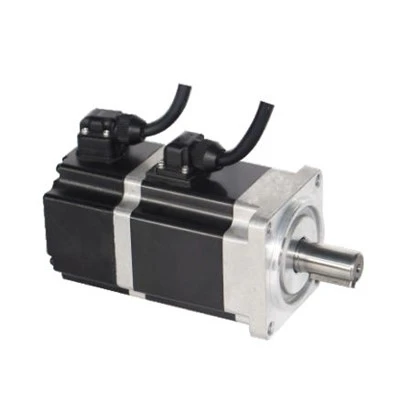
At the end of the day, most noisy fan motors are simple fixes that don’t require a big service call or a full motor replacement. But when you do need a replacement, you want a motor that’s built to last, with quality bearings that don’t wear out after a year. I’ve spent 12 years testing fan motors, and I know the difference between a motor that’s made to run 24/7 in a warehouse and one that’s made for a small bedroom fan. Our team has helped hundreds of clients fix noisy motors, and supply reliable replacements when repairs aren’t enough. If you’ve tried these steps and the noise is still there, or you need a new motor, reach out to our team to discuss your needs.
BLDC Motor Fan References:
- ASHRAE Handbook—HVAC Applications, Chapter 20: Fans and Air Distribution Equipment. American Society of Heating, Refrigerating and Air-Conditioning Engineers, Inc.
- Practical Guide to Electric Motor Maintenance, 2nd Edition. Industrial Press, Inc.
- National Electrical Manufacturers Association (NEMA) Standards for Fan Motor Performance and Reliability.
Hangzhou Jiangnan Electric Motor Co., Ltd.
Hangzhou Jiangnan Electric Motor Co., Ltd. is one of the most reliable fan motors manufacturers and suppliers in China, specialized in providing high quality customized service. We warmly welcome you to wholesale fan motors for sale here from our factory. For price consultation, contact us.
Address: No.298, YaNan Road, Yaqian Town, Xiaoshan District, Hangzhou City, Zhejiang Province
E-mail: sales@jnelectricmotor.com
WebSite: https://www.jnelectricmotor.com/
