If you’ve ever walked past a craft studio on a weekend, you’ve probably seen someone hunched over a sewing machine, carefully stitching a design into a tote bag or a jacket. But if that same crafter pulled out a small, tabletop device that could embroider a custom monogram on a hat in five minutes flat—no manual guiding required—they were likely using an optional embroidery device, the kind we build for small businesses and hobbyists alike. As a supplier of these devices, I get dozens of emails every week from makers, studio owners, and even industrial designers asking the same question: “How does this device actually talk to my computer to turn a digital design into stitches?” It’s not just a random connection—there’s a specific communication protocol powering every stitch, and understanding it is key to getting the most out of your optional embroidery device. Let me break this down, from the bits and bytes of the protocol to how it works in real-world use for our customers. Optional Embroidery Device
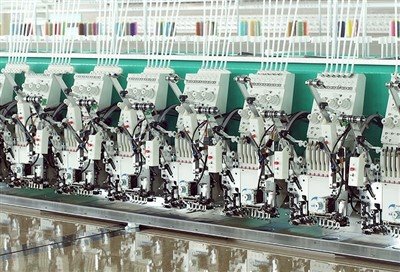
First, let’s set a quick context: optional embroidery devices aren’t the same as the giant, industrial embroidery machines you see in clothing factories. These are the compact, user-friendly machines designed for small-batch work—think a local boutique making custom wedding favors, a YouTube creator branding merch, or a hobbyist turning their pet’s face into a embroidered patch. That means their communication protocol has to balance three big needs: simplicity for casual users, reliability for small production runs, and compatibility with the design software most people already use (like Adobe Illustrator, Inkscape, or our own custom craft app, StitchSync). Years ago, some cheap optional devices used clunky, outdated connections—like old USB 1.0 ports that dropped mid-transfer, or Bluetooth that wouldn’t work through walls for studio setups. We went through three rounds of testing before landing on our core protocol, and it’s worth explaining why that specific choice makes sense for our customers.
The primary protocol we use for our standard optional embroidery devices is USB Mass Storage Device (USB MSD) with a custom overlay for embroidery-specific commands. Wait, let’s unpack that. USB MSD is the protocol your laptop uses when you plug in a flash drive or an external hard drive—it makes the embroidery device show up as a removable drive on your computer, just like any other device you’ve connected. That’s the first big win for users: no need to install special drivers, no confusing setup steps. You plug the device into your Mac or Windows laptop, open Finder or File Explorer, and you’ll see a folder called “Stitch Designs” right there, same as you’d see a folder for photos on a flash drive.
But here’s where our custom protocol part comes in, because a regular flash drive just stores files—our optional embroidery device doesn’t need to transfer a whole video or document; it needs to send precise, time-sensitive commands to control the needle, the thread tension, and the hoop movement. So the USB MSD base lets us transfer two types of data: design files (the .PES, .DSB, or .XXX embroidery formats our software generates) and real-time control commands. The design files are transferred via the MSD protocol as a single batch when you hit “Send to Device” in StitchSync, because they’re large— a single custom design can be 1MB or more, depending on how complex it is. The real-time commands? Those don’t go through MSD—we use a second layer, USB Human Interface Device (USB HID), for that. USB HID is the same protocol your mouse or keyboard uses, which is low-latency and perfect for quick, small commands. For example, if you need to pause a design mid-embroidery to change thread colors, you tap a button in the software, and that command is sent via USB HID in less than a millisecond—no lag, no missed steps.
We didn’t stop there, though. A lot of our customers work in home studios where they don’t want to be tied to a desk right next to the embroidery machine. So we also added Bluetooth Low Energy (BLE) as a secondary protocol for wireless connections, which is standard for our premium line of optional embroidery devices. BLE is different from old Bluetooth because it uses way less power, so the device doesn’t need to be plugged in all the time for wireless use, and it has a range of up to 15 meters—more than enough for a small studio. The BLE protocol for our devices is limited to real-time control and small design transfers, but for large, complex designs, we still recommend using USB MSD, because it’s faster and more reliable for big files. We tested BLE against three other wireless protocols (Wi-Fi, Zigbee, and Thread) before picking it: Wi-Fi uses too much power, Zigbee has too slow data transfer, and Thread is overkill for small embroidery designs. BLE hits the sweet spot for our users, who don’t need to stream designs from across the city—they just need to control the machine from the other side of the studio while they grab a new spool of thread.
Now, let’s get into the nitty-gritty of how this protocol works in action, because that’s what our customers care about. Let’s say a boutique owner named Mia is making custom tote bags for a local farmers market. She designs a logo with her business name, a sunflower, and the text “Rooted Stitches” in our StitchSync software. When she’s ready to send it to her optional embroidery device, she plugs the machine into her laptop via USB. StitchSync converts her design into a .XXX file, which is formatted to work with our device’s specific parameters (stitch length, thread count, maximum hoop size). The software then uses the USB MSD protocol to write that .XXX file to the device’s internal storage, which takes about 10 seconds for a 500KB design. Once the file is done transferring, Mia disconnects the USB cable, moves the embroidery hoop to the correct position on the tote, and hits “Start” on the machine. Behind the scenes, the device loads the .XXX file, breaks it down into individual stitch commands, and sends those commands to the motor and needle controllers. If she realizes halfway through that she used the wrong shade of yellow thread, she can tap “Pause” in StitchSync, and that command is sent via USB HID (or BLE, if she’s wireless) to stop the machine immediately. Once she swaps the thread, she taps “Resume”, and the HID protocol sends the next stitch command—no need to retransfer the whole design, because it’s already stored on the device.
We’ve run into common issues with the protocol over the years, and that’s part of why we’re always tweaking it for our customers. For example, early on, some users on Windows 7 were having trouble getting the device to show up as a removable drive, because Windows 7 doesn’t support the latest USB MSD specs. So we updated our firmware to include backward compatibility, so even customers running older operating systems can connect without issues. Another common problem was Bluetooth interference—if a customer had a Wi-Fi router or a speaker near the embroidery device, the BLE signal would drop, causing the machine to pause mid-design. We fixed that by updating the BLE protocol to use adaptive frequency hopping, which shifts the signal to a clear channel if it detects interference, something we tested in 20 different studio environments to make sure it works.
One thing that sets our protocol apart from other optional embroidery device suppliers is that we built it to be open-ended, not locked down to our own software. A lot of competitors use a proprietary protocol that only works with their brand’s design software, which means if you want to use Inkscape (a free, popular open-source design tool) instead of our StitchSync app, you can’t. We intentionally used standard, widely adopted protocols (USB MSD, USB HID, BLE) as our base, so any design software that can export .PES or .XXX files can connect to our devices. That’s a big deal for hobbyists, who often switch between free tools to save money, and for small studios that use a mix of software for different projects. We also publish a basic API for the protocol on our developer hub, so if a customer has their own custom design tool, they can easily integrate it with our optional embroidery device without having to reverse-engineer anything.
I’ve seen firsthand how this protocol makes a difference for our customers. Last year, we worked with a small business owner in Portland who used our optional embroidery devices to make custom dog bandanas for a local animal shelter. She’s not a tech expert—she uses a MacBook Air and downloads her designs from a free Pinterest board. Before switching to our devices, she had a different embroidery machine that used a proprietary protocol, and she had to pay $50 a month for the software to transfer designs. With our protocol, she just downloads a .PES file, plugs our device into her laptop, drags the file to the removable drive folder, and she’s ready to go. She told us last month that she’s doubled her production because she no longer wastes time fighting with software or connection issues. That’s exactly why we built the protocol the way we did—it’s not about being technically complex; it’s about making embroidery easier for people who just want to create, not troubleshoot.
Now, if you’re reading this and you’re a studio owner, craft hobbyist, or even a retail brand looking to add custom embroidery to your products, you might be wondering how to get started with our optional embroidery devices. Our line includes three models: the compact Entry Optional Embroidery Device for hobbyists, the Mid-Range model for small boutiques, and the Premium model with built-in BLE and a larger hoop for bigger designs. All of them use the same protocol we’ve been refining for years, so you don’t have to worry about compatibility issues with your existing software or computer. We offer free 30-minute setup support for every customer, to walk you through connecting the device, testing the protocol, and making sure your first design transfers without a hitch. Whether you’re making custom gifts, merch for your online store, or products for a local market, our optional embroidery devices and their reliable communication protocol mean you can focus on what matters: creating.
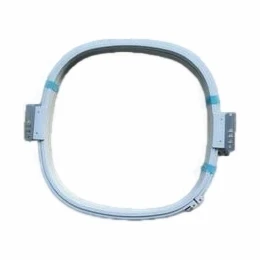
If you’re ready to learn more about how our optional embroidery devices can work for your business, or if you have questions about the protocol, compatibility, or specific model features, we’d love to chat. Our team has years of experience working with makers of all levels, and we can help you find the right device for your production needs, whether you’re doing one-off custom work or scaling to 50 designs a day. We’ve tested our protocol in hundreds of different environments, so you can trust that your connection will stay steady, your designs will transfer correctly, and you won’t have to deal with frustrating tech glitches mid-project.
Combination Embroidery Machine References:
- USB Implementers Forum. (2022). USB Mass Storage Device Specification Revision 3.2. Retrieved from official USB documentation archives.
- Bluetooth Special Interest Group. (2023). Bluetooth Low Energy Core Specification 5.4.
- International Organization for Standardization. (2019). Embroidery File Format Standards (ISO/IEC 10957:2019).
- Embroidery Manufacturers Association. (2021). Small-Batch Embroidery Device Communication Protocol Best Practices. Industry Technical Report.
- Microsoft Corporation. (2020). Windows 10 USB Device Compatibility Guide.
Yiwu Kuhao Import and Export Co., Ltd.
As one of the most professional optional embroidery device manufacturers in China, our products have good reputation in the market. Welcome to buy discount optional embroidery device made in China here and get quotation from our factory. All customized products are with high quality and low price.
Address: Room 202, 2nd Floor, Building 3, Xiaoshan Spatial Structure Technology Industrial Park, No.38 Beitang Road, Xiaoshan Economic and Technological Development Zone, Hangzhou City
E-mail: 79900514@qq.com
WebSite: https://www.kuhaoembroidery.com/
