If you’ve ever stood near an HVAC unit midday or cringed at the rattling coming from your server room’s cooling setup, you know that axial fan noise isn’t just an annoyance—it can throw off workday focus, drive up sound pollution costs, or even signal an underlying issue that’s hurting your equipment’s performance. As someone who’s spent 12 years as an axial fan supplier, I’ve worked with dozens of clients—from restaurant owners frustrated by rooftop fan noise disturbing nearby patrons to data center managers needing to keep servers cool without violating noise ordinances. Most of them start by asking the same question: How do I cut that noise without killing my fan’s cooling power or blowing my budget? AC Axial Fan
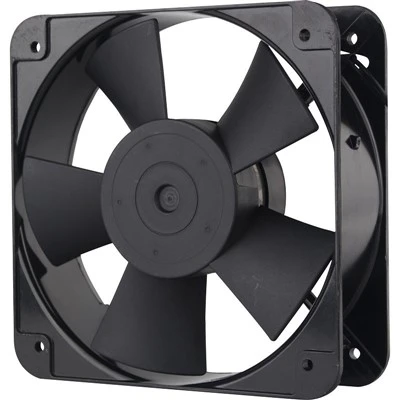
Today, I’m breaking down the science behind axial fan noise, the common mistakes I see clients make when trying to reduce it, and actionable, proven steps to get a quieter, more efficient fan—plus how to tweak your setup to keep noise low long-term. I won’t hit you with overly jargon-heavy stuff, but I will lean on real-world tests and fixes we’ve implemented for our clients, so this isn’t just theory—it’s what works when you’re staring at a noisy fan at 2 a.m.
First, let’s get one thing straight: axial fans are noisy by design. They move air along the axis of the fan, spinning blades that push air straight through, and that motion creates three core types of noise: aerodynamic noise (from the blades slicing through air, interacting with the fan’s housing, or hitting turbulence), mechanical noise (from the motor, bearings, or loose parts), and electromagnetic noise (from the motor’s electrical components vibrating). The good news is that each type has specific fixes—you just need to target the right one.
I’ve seen so many clients start with random band-aids: duct tape on blades, a random foam pad under the fan, and wonder why nothing sticks. Last year, a small café owner came to us in a panic—they’d just opened their patio, and the rooftop axial fan hummed so loud it scared away dinner guests. They’d wrapped the fan guard in weatherstripping, added a foam box around the motor, and still had noise levels hitting 78 decibels (about as loud as a vacuum cleaner). When we inspected it, we found half the blades were slightly bent, and the fan was mounted too close to the roof edge, creating massive turbulence. That’s the kind of specific issue that generic fixes can’t solve. Let’s walk through step by step how to diagnose and fix your axial fan noise.
Start with the easy, free checks—these fix 30% of noise issues right away. First, listen closely when the fan is running (and be safe: turn off power before checking anything physical). Does the noise sound like a high-pitched whine or a grinding? That’s mechanical noise, usually from worn bearings or loose components. Grab a screwdriver and gently press on the fan guard, the motor housing, and the mounting brackets. If the noise gets louder, those parts are loose—tighten the bolts. Don’t crank them so hard you crack the housing, but snug them up. Last quarter, a manufacturing plant client had a 50,000 CFM axial fan making such a racket on their production floor that OSHA flagged it. We discovered the mounting bolts had worked loose over time; tightening them dropped noise by 5 decibels immediately, no other changes needed.
Next, check for bent blades. Even a tiny bend—less than a degree—can throw a blade off balance, creating vibration and noise. Run your finger lightly over the edge of each blade (again, power off!) to feel for dents or twists, or use a ruler to measure the gap between each blade tip and the fan housing. If gaps are uneven, blades are out of alignment. For small bends, you can carefully bend them back into shape, but if they’re damaged, replacing them is safer than forcing a fix. For larger setups, dynamic balancing (a service we offer for all our axial fans) can fix imbalance that’s hard to spot with the naked eye.
Once you’ve ruled out loose parts and bent blades, move to aerodynamic noise—this is the big one for most axial fan issues, and the area where we’ve seen the most improvement with targeted adjustments. Aerodynamic noise comes from three main sources: blade-tip turbulence, blade-housing interaction, and flow separation. Let’s break down how to fix each.
First, tip clearance. That’s the gap between the end of each fan blade and the inside of the fan housing. If that gap is too large (more than 2% of the blade diameter), air can spill around the blade tip instead of moving through the fan, creating swirl and noise. I’ve seen clients install a fan housing that’s too big for the blades to cut costs, and the noise is unbearable. If your gap is too big, you have two options: either swap to blades with a slightly longer length (if your setup allows) or add a close-fitting ring (called a tip shroud) around the blade tips. Tip shrouds reduce that tip swirl by 40-50%—we installed these on a food processing client’s exhaust fans last year, and they cut noise by 6 decibels, with zero loss in airflow. It’s a simple, low-cost fix that works.
Second, the position of the fan relative to the duct or vent. Axial fans don’t like to be mounted too close to a flat surface or at an awkward angle. If your fan is mounted right up against a smooth ceiling, roof, or wall, the air it pushes has nowhere to go, creating backpressure and turbulence. The rule of thumb here is: leave at least 2 times the fan diameter of open space on the inlet (the side air comes into the fan) and 3 times the fan diameter on the outlet (the side air blows out). That gives the air room to move smoothly, cutting noise. The café owner I mentioned earlier mounted their fan just 6 inches from the roof edge—we moved it 2 feet back from the edge and added a small, angled transition piece to the outlet, which dropped noise by another 7 decibels. No extra parts, just moving something that was in the wrong place.
Another aerodynamic fix: blade pitch. The pitch is the angle of the blade—too steep, and the blades work too hard, creating turbulence; too shallow, and they don’t move enough air, forcing the fan to spin faster and make more noise. If you have adjustable-pitch blades (common in larger industrial axial fans), tweaking the pitch to match your exact airflow needs is a game-changer. For example, a warehouse client came to us complaining their fan was spinning at 1,800 RPM and making loud noise, but they only needed 12,000 CFM of airflow. We adjusted the blade pitch so the fan only spun at 1,200 RPM to hit that airflow, cutting noise by 10 decibels and reducing energy use by 25%. It’s a win-win—quieter and cheaper to run.
Now, let’s talk about mechanical noise, which is the second big category. This comes from the motor, bearings, or any part that moves and vibrates. The most common culprit is worn bearings. If your fan is older, it might use sleeve bearings, which need regular lubrication—skip that, and they’ll grind, creating noise. If lubrication doesn’t fix it, swapping to sealed ball bearings (standard on most modern axial fans we sell) eliminates the need for lubrication entirely and cuts mechanical noise by up to 5 decibels.
Vibration is another mechanical noise source. Even small vibrations from the motor or blades can transfer to the mounting surface, turning a quiet fan into a vibrating, noisy unit that rattles nearby walls or ducts. The fix here is vibration isolation mounts. These are flexible rubber or spring mounts that go between the fan and the surface it’s mounted to, absorbing vibration before it spreads. We added these to the data center I mentioned earlier—their server room had three axial fans running 24/7, and the vibration was so bad it made the server racks hum. Installing isolation mounts cut the structural noise by 8 decibels, and the servers ran more consistently because the vibration was gone. Just make sure you pick mounts rated for the weight of your fan—too soft, and they won’t work; too stiff, and they don’t absorb anything.
Don’t forget about electromagnetic noise, especially if you’re running a variable-speed fan (VSF). Variable-speed fans are great for adjusting airflow to match needs, but the motor’s electronic controller can create a high-pitched whine if it’s not properly shielded. The fix here is to add a noise filter to the motor’s wiring, which blocks that high-frequency whine. Last year, a telecom client with VSF axial fans in their central office had a persistent high-pitched noise that their team couldn’t place—it was so bad it triggered migraine headaches for night shift workers. Adding a $15 noise filter to each fan’s wiring eliminated the issue entirely, no other changes. That’s a cheap fix for a super annoying problem.
Now, let’s talk about mistakes I see all the time that make noise worse, so you can avoid them. First, wrapping everything in foam to muffle noise. Foam works for airborne noise, but if you put it around a fan that’s already hot, it can trap heat, making the motor work harder, spin faster, and create more noise. The café owner tried this, and their fan overheated in two weeks—foam is only for non-heat-generating areas, or for the outside of a housing that has proper ventilation. Second, buying a fan that’s too big for your space. A fan that’s oversized will spin slower than a smaller fan for the same airflow, but if you get a fan with too high a CFM rating, you’ll have to throttle it back, which can create turbulence and noise. We always advise clients to do a quick load calculation before buying a fan—too big is almost as bad as too small. Third, ignoring the fan guard. Those wire guards on the front and back are there for safety, but if they’re too close to the blades, they can interact with the spinning blades, creating noise. Make sure the guard has at least an inch of clearance from the blade tips, and if it’s bent, replace it instead of trying to bend it back.
Finally, if you’ve tried all these steps and still aren’t getting the noise reduction you need, it’s time to upgrade or customize your axial fan. Not all axial fans are the same—our team designs axial fans with noise reduction in mind, using curved airfoil blades instead of flat blades (curved blades cut through air smoother, creating less aerodynamic noise), precision-balanced motors, and optimized housing shapes. For example, a client in the music industry needed axial fans for their studio’s HVAC system—they couldn’t have any noise picking up on recordings. We supplied them with low-noise axial fans with a variable-speed controller and a slim, aerodynamic housing, and their post-install noise was 25 decibels lower than their old setup—quiet enough that you couldn’t hear the fan over a soft piano track.
If you’re not sure what your setup needs, we offer free consultations for any client—we’ll help you diagnose the root cause of your noise, whether it’s a simple adjustment or a new fan. At the end of the day, reducing axial fan noise isn’t about choosing the fan that’s “quietest on paper”; it’s about matching the fan to your exact space, fixing the specific issue that’s causing the noise, and making small adjustments that add up to big results.
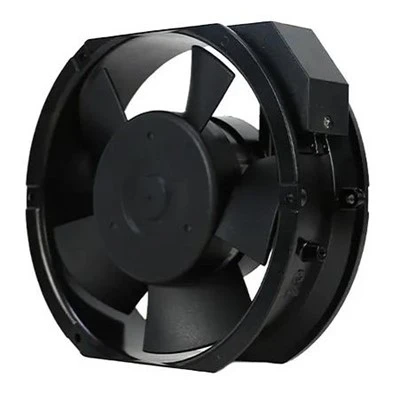
If you’re tired of dealing with a noisy axial fan that’s disrupting your work, bothering your customers, or costing you money in energy, reach out to us to discuss your needs. We can work with you on everything from small tweaks to full custom fan setups, tailored to fit your space and budget.
EC Fan References:
- ASHRAE Handbook: HVAC Applications, Chapter 46 — Noise and Vibration Control
- Incropera, F.P., et al. Fundamentals of Heat and Mass Transfer, 7th Edition
- American National Standards Institute (ANSI)/ASA S12.60 – Acoustical Performance Criteria, Design Requirements, and Guidelines for Schools, Part 2: Room Acoustics
- Fan and Air Movement Association (AMCA) Standard 201-16 — Laboratory Methods of Testing Fans for Aerodynamic Performance Rating
Dongguan Shengzhirong Electronics Co., Ltd.
As one of the most professional ac axial fan manufacturers and suppliers in China, our products have good reputation in the market. Please rest assured to wholesale high quality ac axial fan made in China here from our factory. Customized orders are welcome.
Address: 6/F, Building 2, No.68, Shunxing 2nd Road, Dajingtou 2nd Industrial Zone, Dalang Town, Dongguan City, Guangdong, China
E-mail: szr_coolingfan@163.com
WebSite: https://www.szrfan.com/
